One environment
200+ tools across 6 categories with no local dependency hell-pull, run, and test.
Nightingale is a Docker-based penetration testing framework with a modern web GUI, multi-terminal support, and 200+ pre-installed tools-covering web, network, mobile, OSINT, and forensics in one consistent environment. Spin it up when a test is scheduled, then tear it down-no need to keep a lab running around the clock.

Trusted in the community
Toolchains sprawl across hosts, environments drift, and onboarding new testers takes days. Nightingale keeps your workflow in one container and one browser session.
200+ tools across 6 categories with no local dependency hell-pull, run, and test.
Web GUI, multi-terminal sync, and AI-assisted commands reduce friction in the critical path.
Docker isolation means Windows, macOS, Linux, or cloud-same stack, reproducible outcomes.
Nightingale v2.0 delivers a practical penetration testing framework with an intuitive web-based GUI, from parallel terminals to scan orchestration.
Manage multiple terminal sessions simultaneously with real-time synchronization.
Outcome: Parallel workflows without juggling brittle SSH multiplexing.
Access your entire penetration testing environment through a modern, intuitive web interface.
Outcome: Onboard testers in minutes, not days.
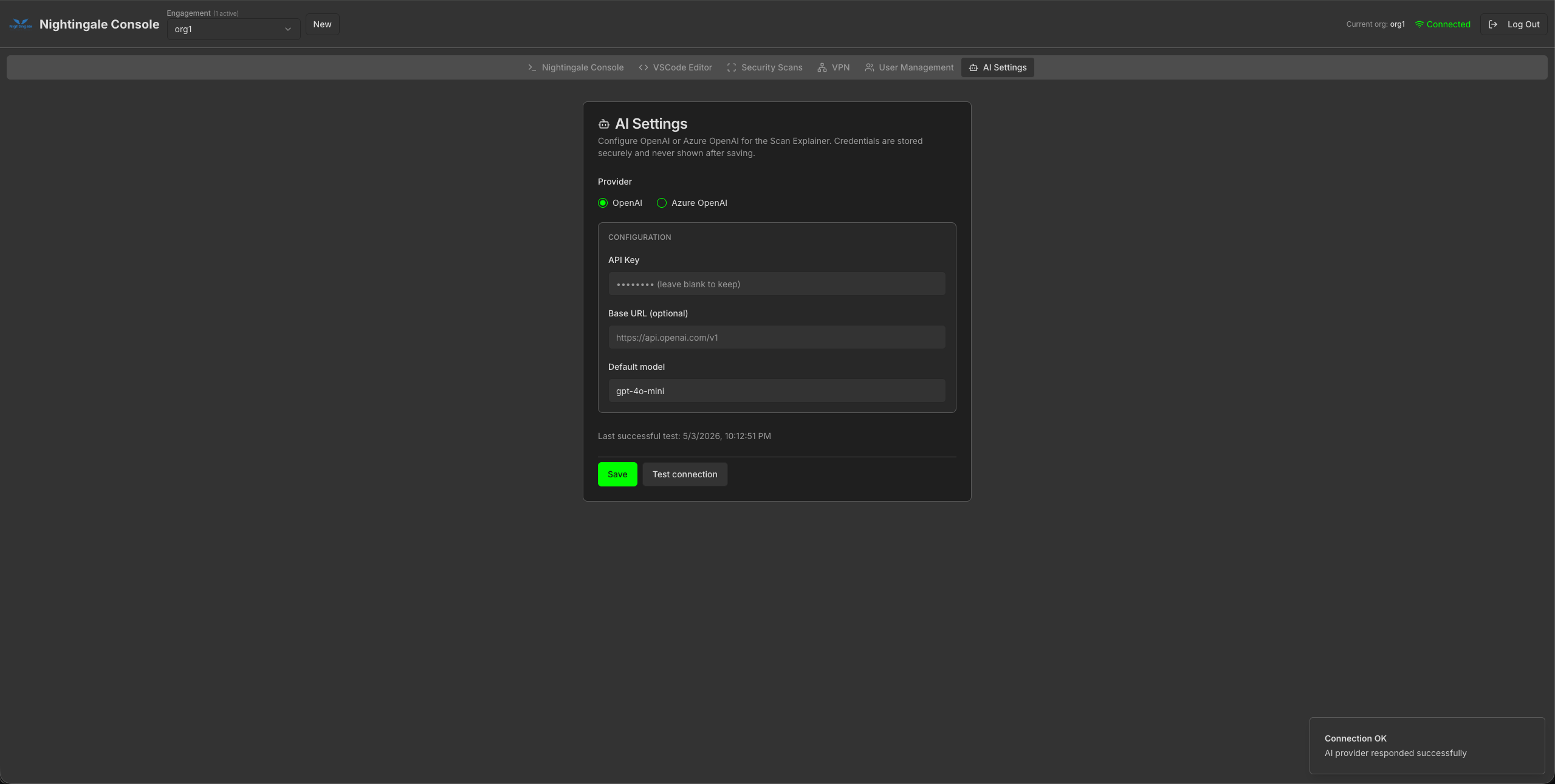
Get intelligent command recommendations based on your current context and output.
Outcome: Faster iteration on hypotheses during active testing.
Navigate your file system with an interactive, expandable directory tree.
Outcome: Clearer situational awareness during investigations.
Built-in VPN support for connecting to testing networks.
Outcome: Safer, repeatable access to segmented environments.
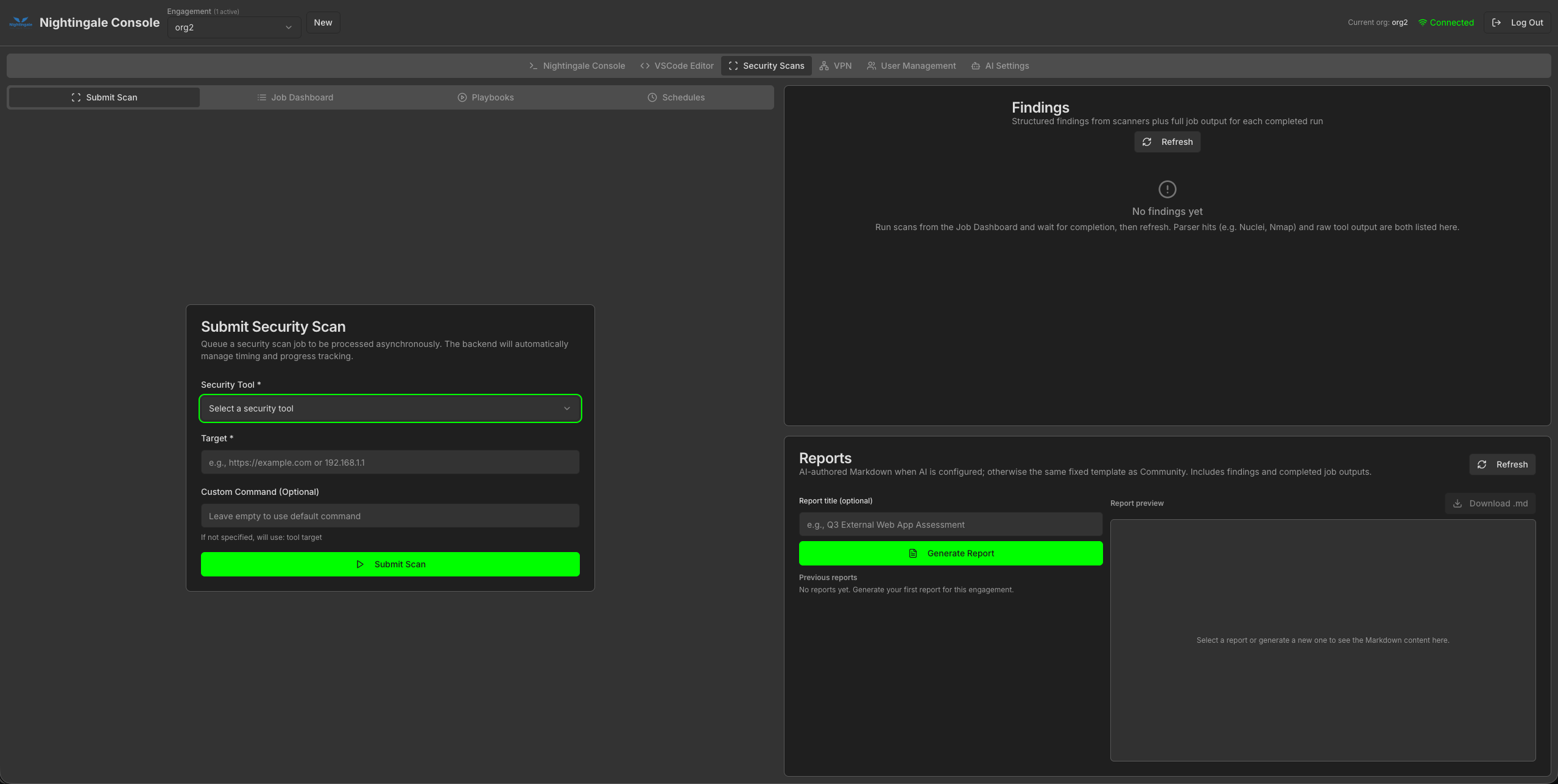
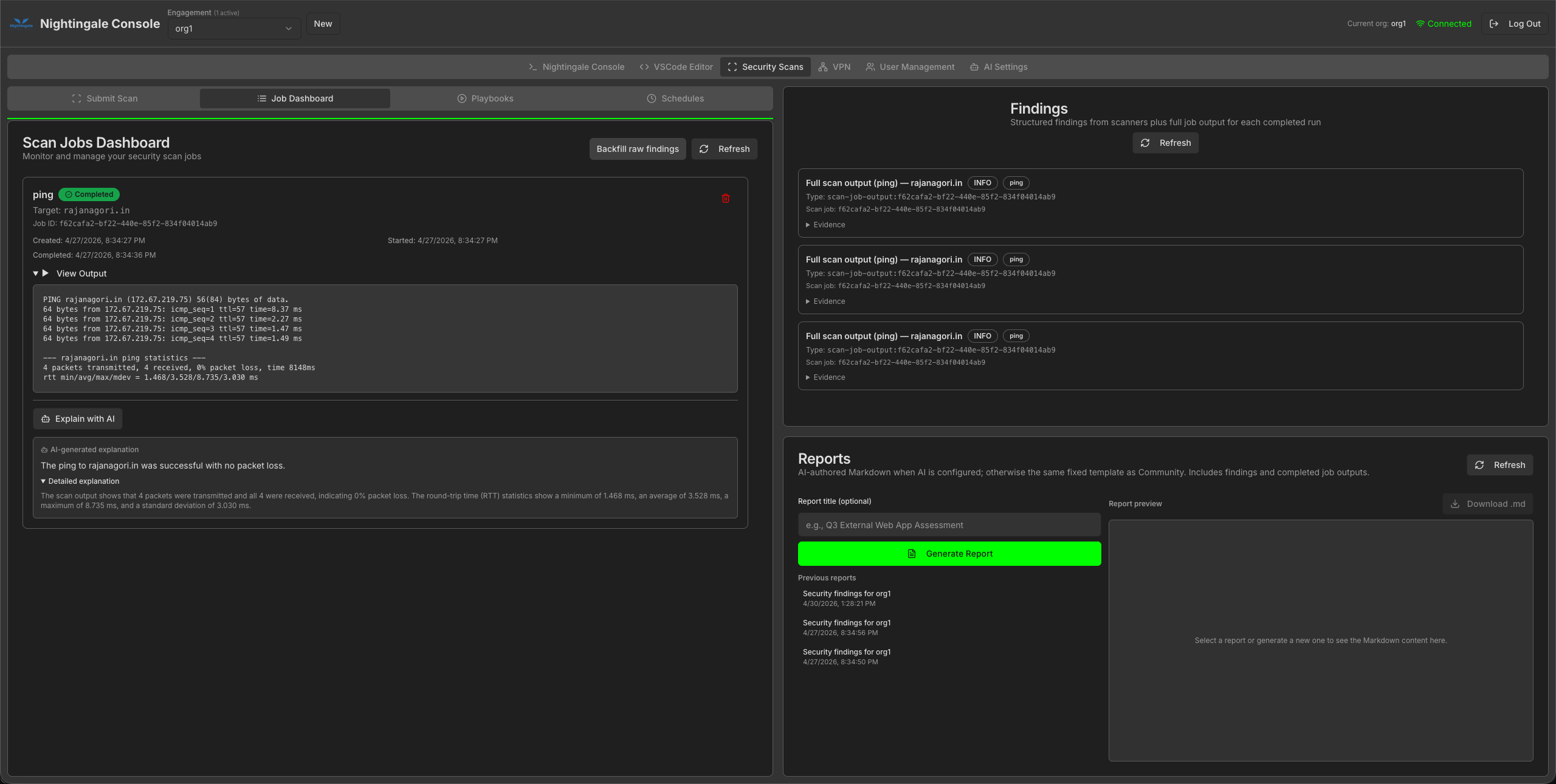
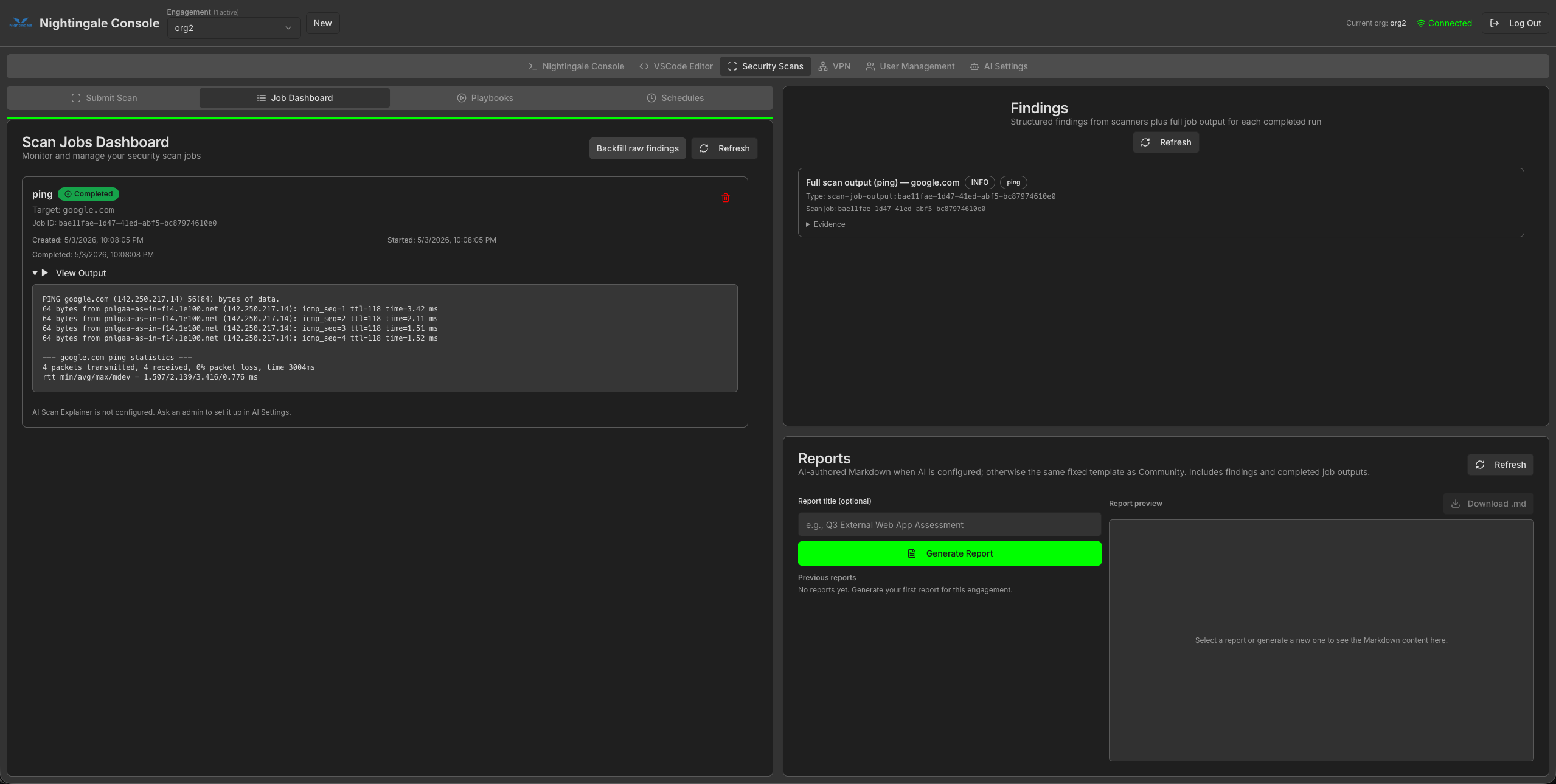
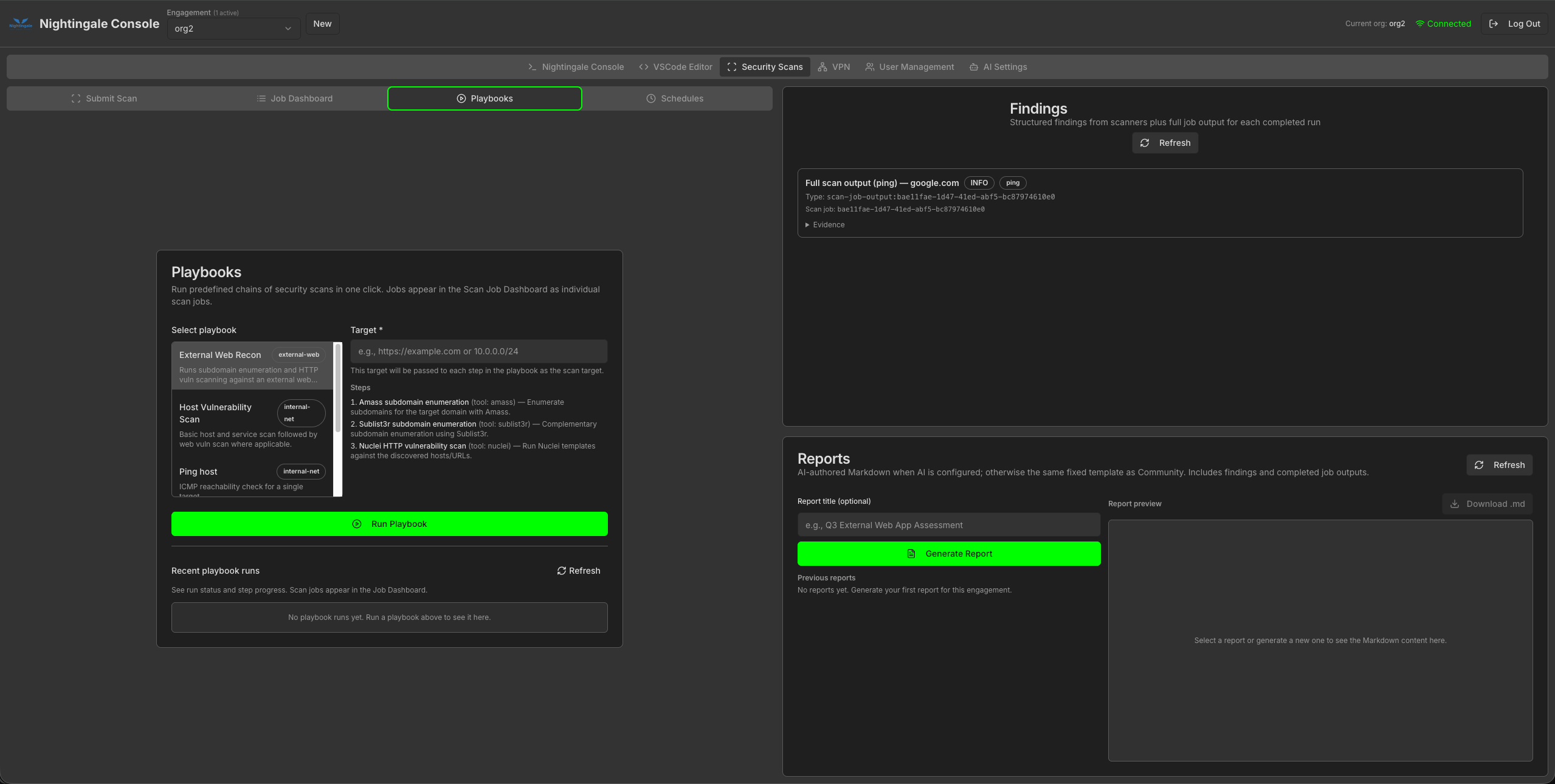
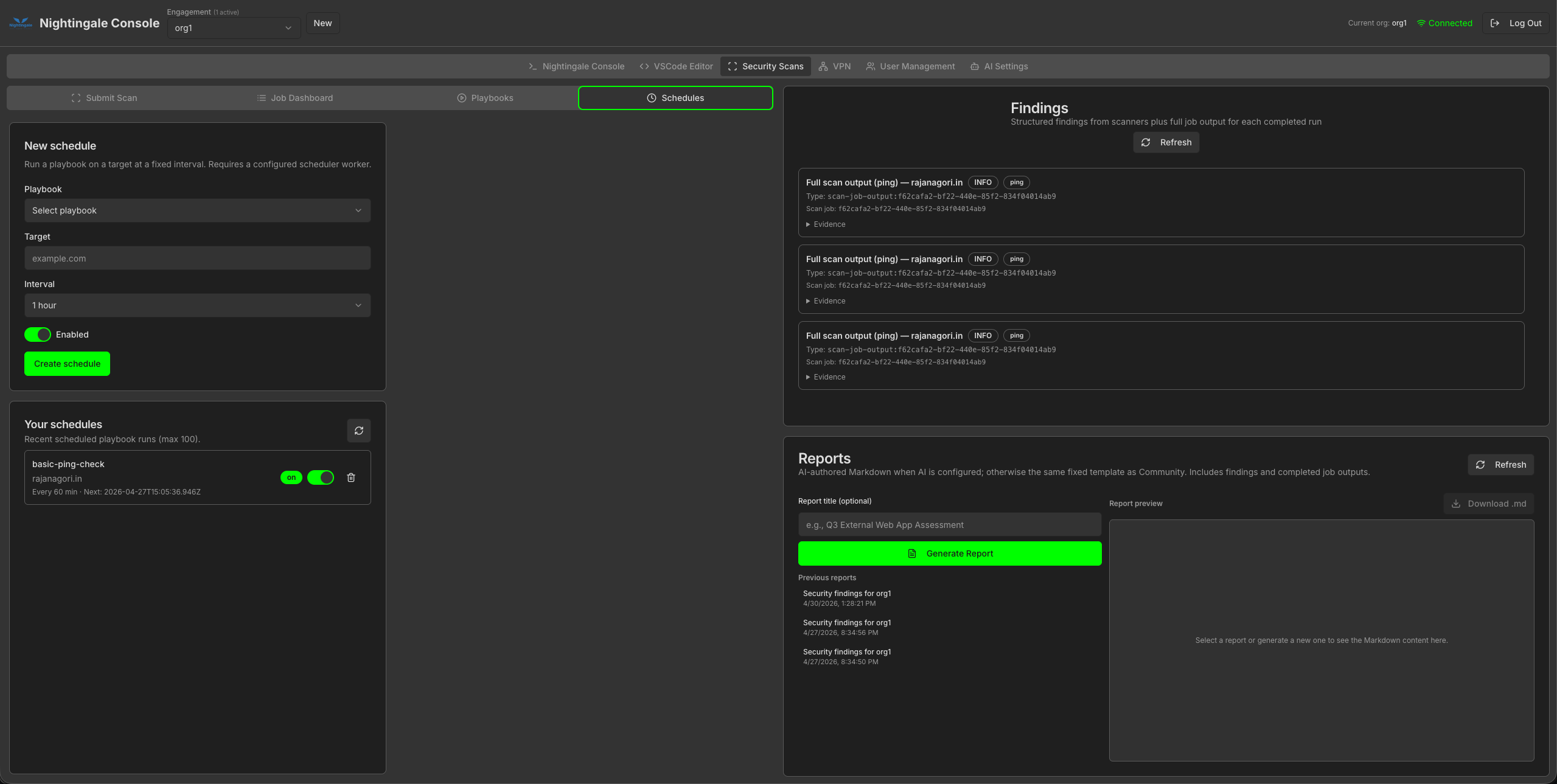
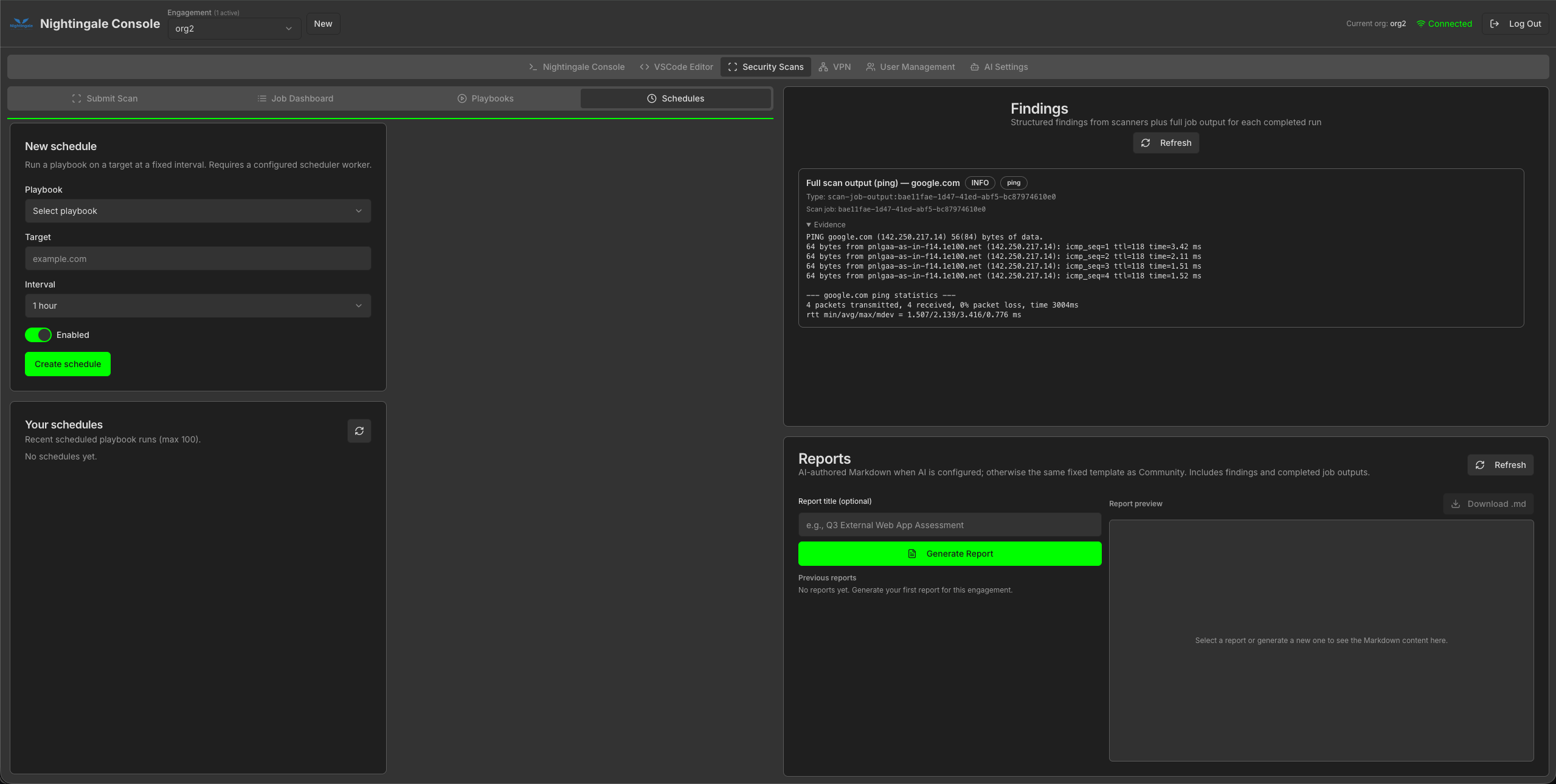
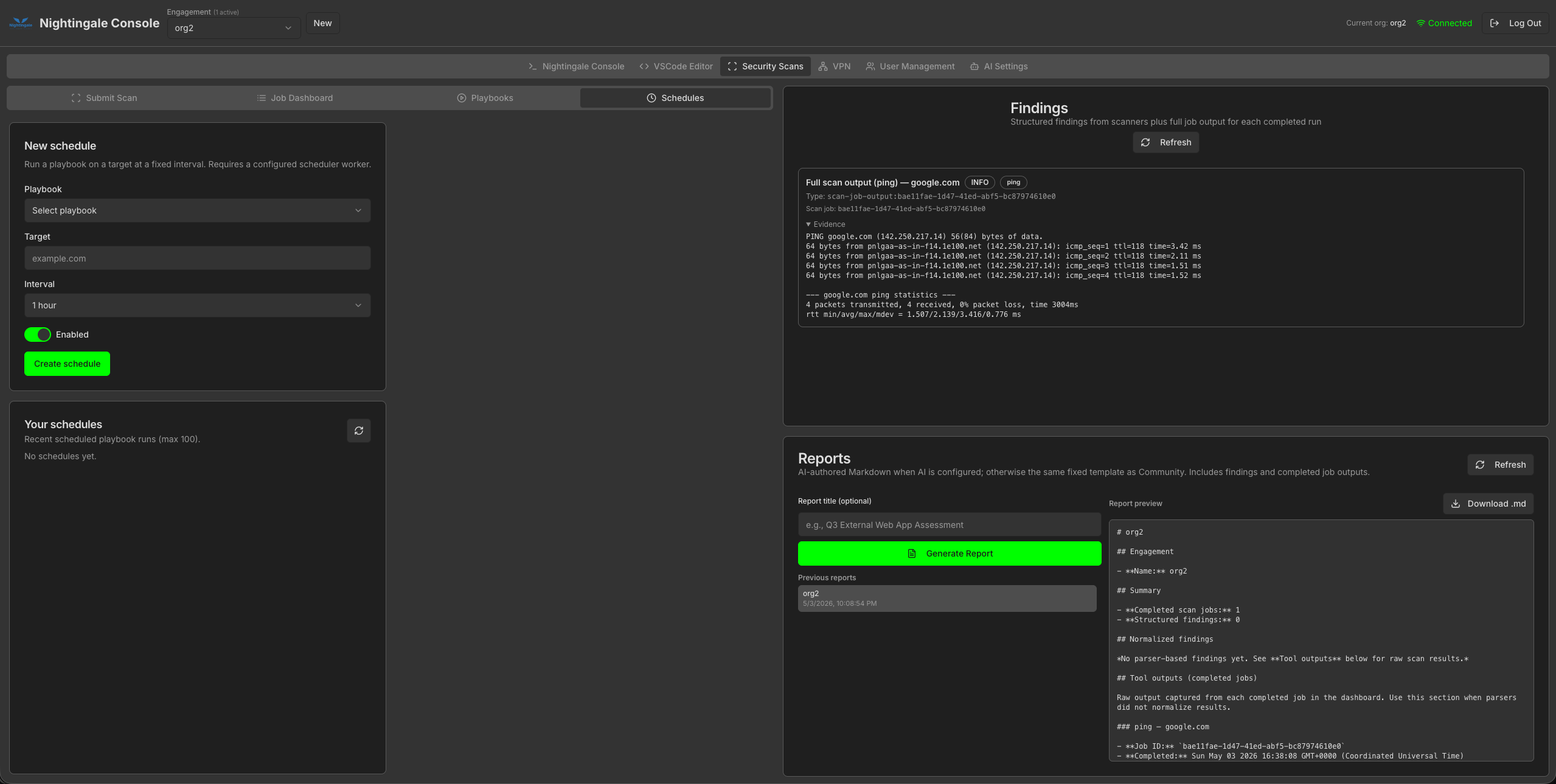
Organize and manage vulnerability scans with a comprehensive dashboard.
Outcome: Reporting-ready traceability without spreadsheet chaos.
Nightingale is built for real engagements: isolation, speed, and a UI that stays out of your way.
Runs in Docker with a clear boundary from the host-consistent tooling without polluting workstations.
Terminal, explorer, and scan views in one place so teams can collaborate without screen-sharing friction.
Multi-terminal sync and file explorer keep state aligned so you spend less time re-establishing context.
Curated categories across web, network, mobile, OSINT, forensics, and wordlists-ready for professional use.
The open core already ships a full console-terminal, explorer, scans, and tooling in one container. The GUI stack continues to grow toward deeper collaboration, governance, and assisted analysis for long-running programs and shared operations.
Organize work across programs and engagements so scans, findings, and reports stay scoped and traceable to the right context.
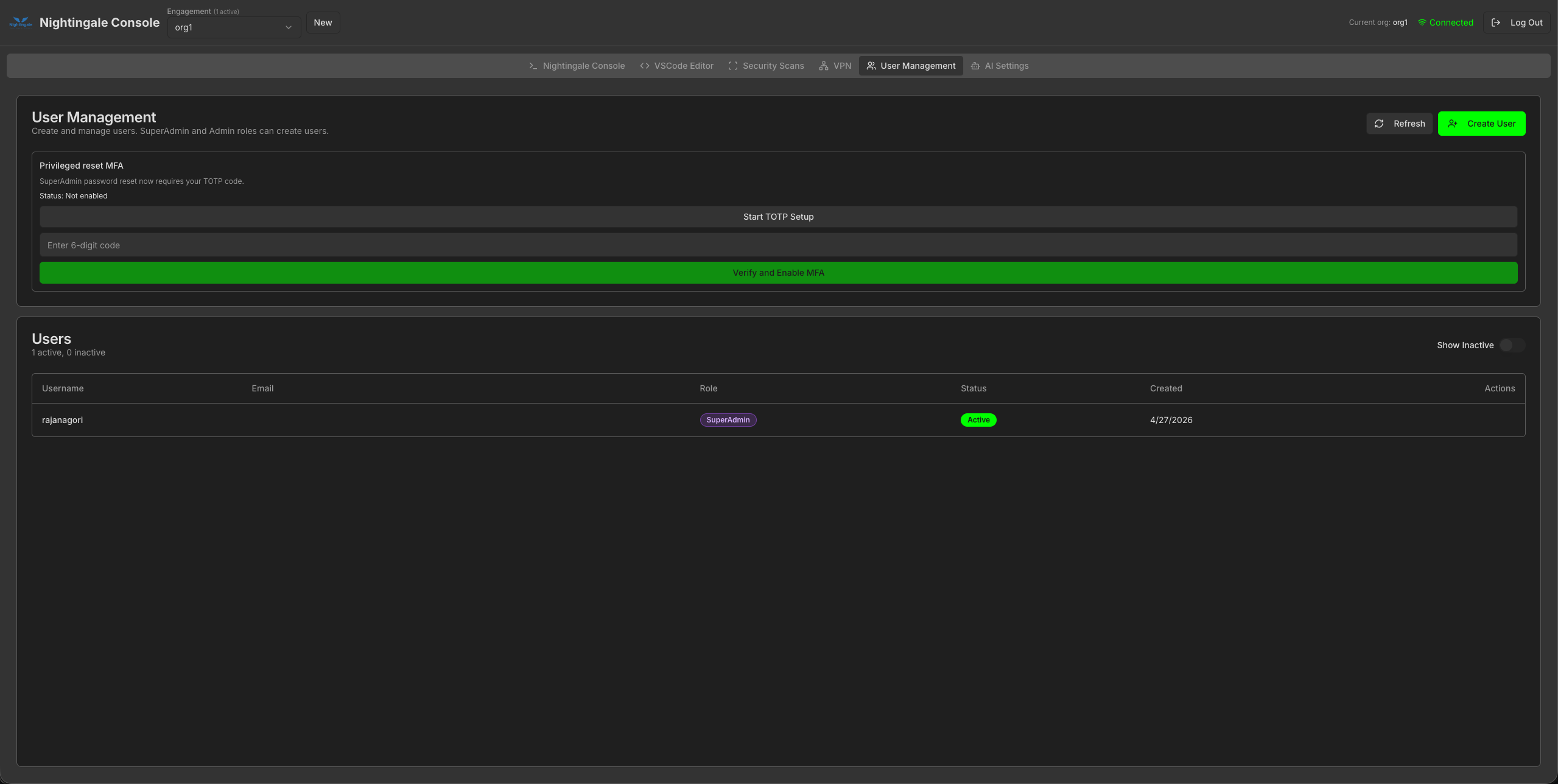
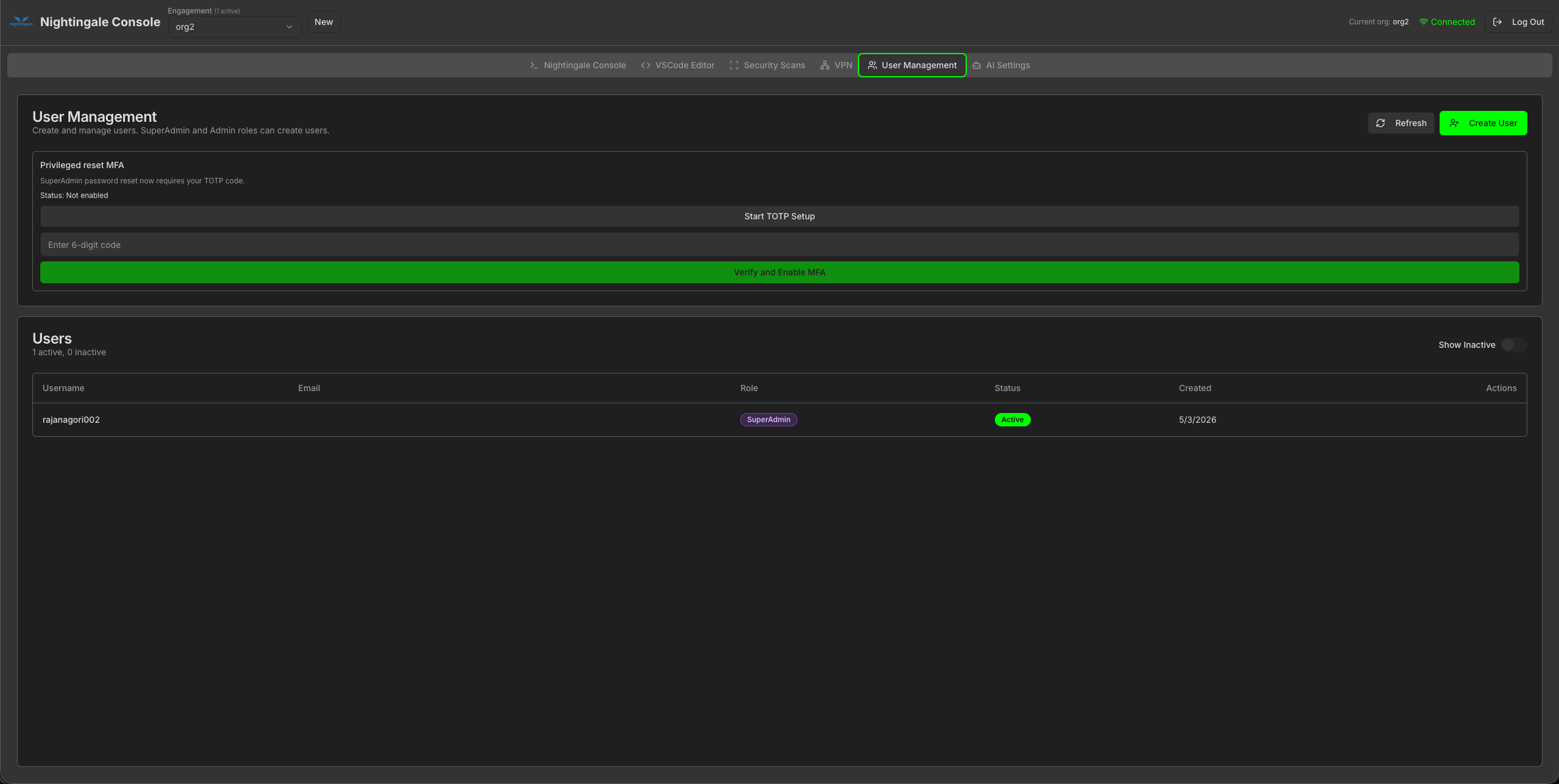
User lifecycle, roles, and administrative workflows so shared consoles stay accountable in team and lab environments.
Integrated VPN-style workflows for segmented targets and controlled routing-aligned with how real engagements access isolated networks.
Optional AI hooks for scan explainers, reporting helpers, and context-aware command suggestions-always under your configuration and policies.
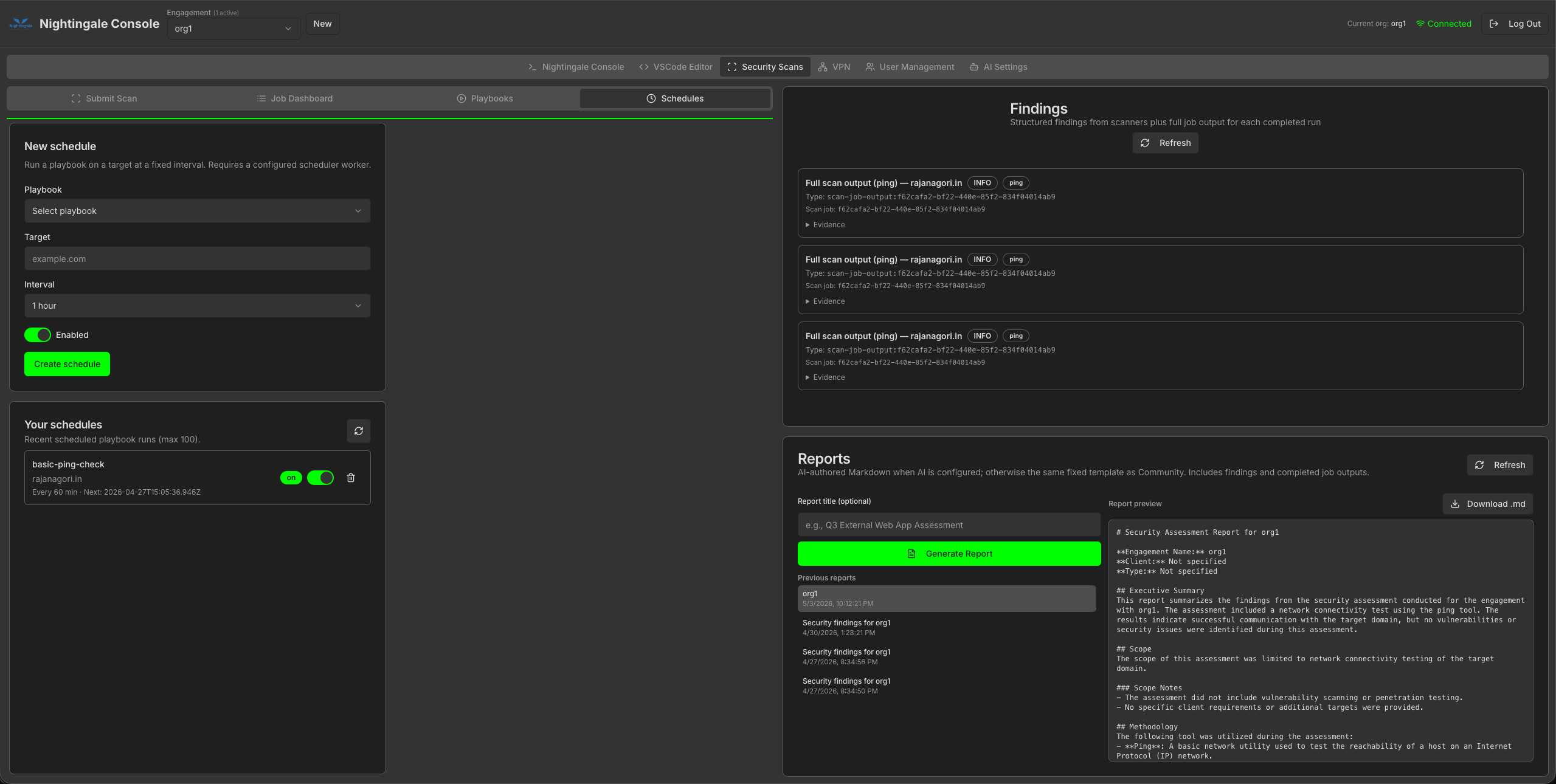
Normalized ingestion from scanner output into dashboards and exportable reports, so results roll up cleanly across jobs and tools.
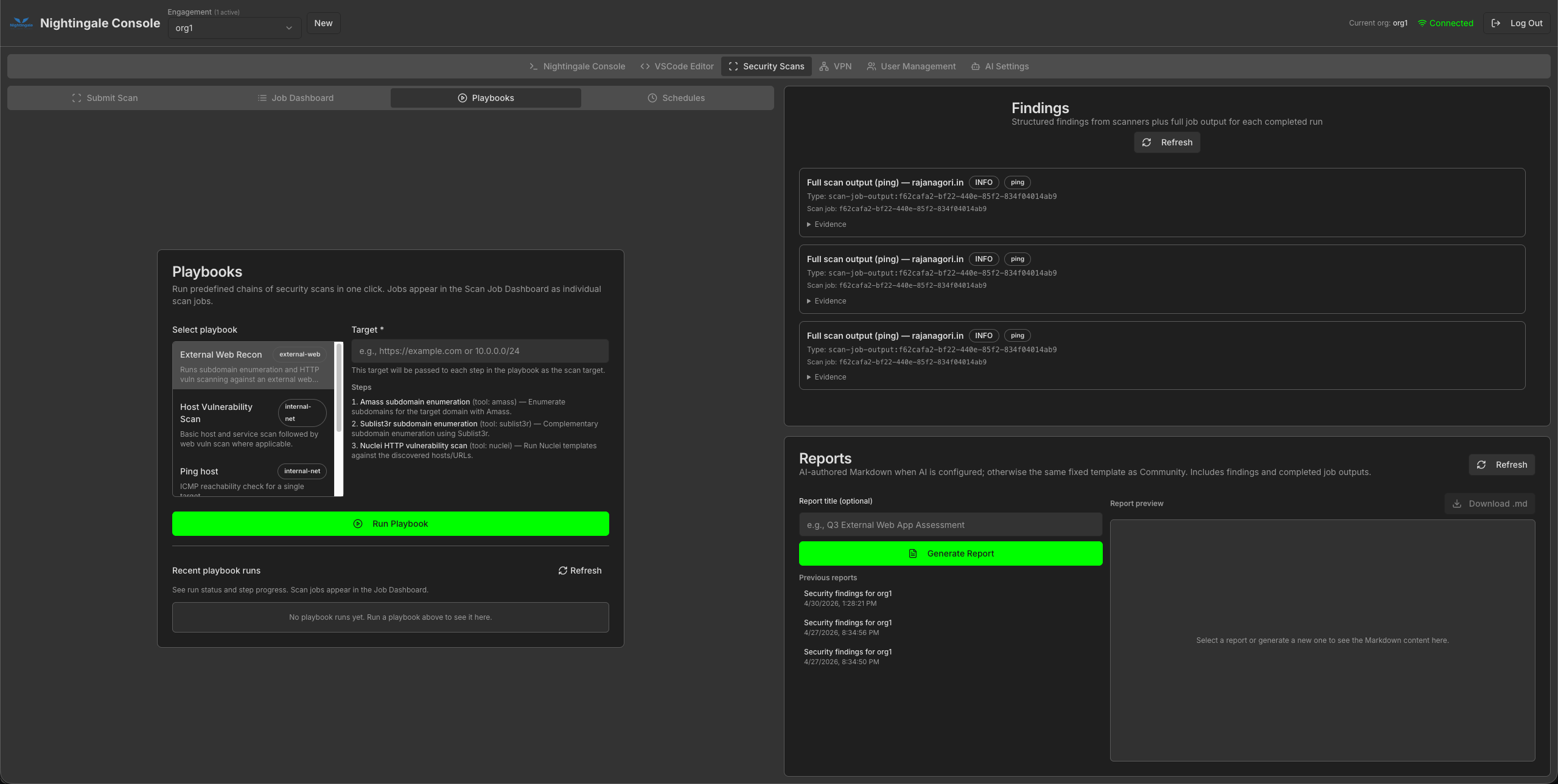
Multi-step playbooks, queued jobs, and scheduled execution patterns for repeatable workflows-not one-off copy-paste runs.
Nightingale keeps testing work inside the container: fewer host-side changes, clearer boundaries for shared machines, and an OWASP-aligned open model you can inspect on GitHub.
Use dedicated credentials and networks for engagements. Nightingale helps you keep work scoped, reproducible, and reviewable.
Free to use, fork, and improve-backed by the OWASP community and GitHub workflows.
View on GitHubRun wherever Docker runs-local, CI, or cloud. Pull from GitHub Container Registry when you need a session: start the container on demand instead of keeping a lab running 24/7, then stop it when the engagement ends.
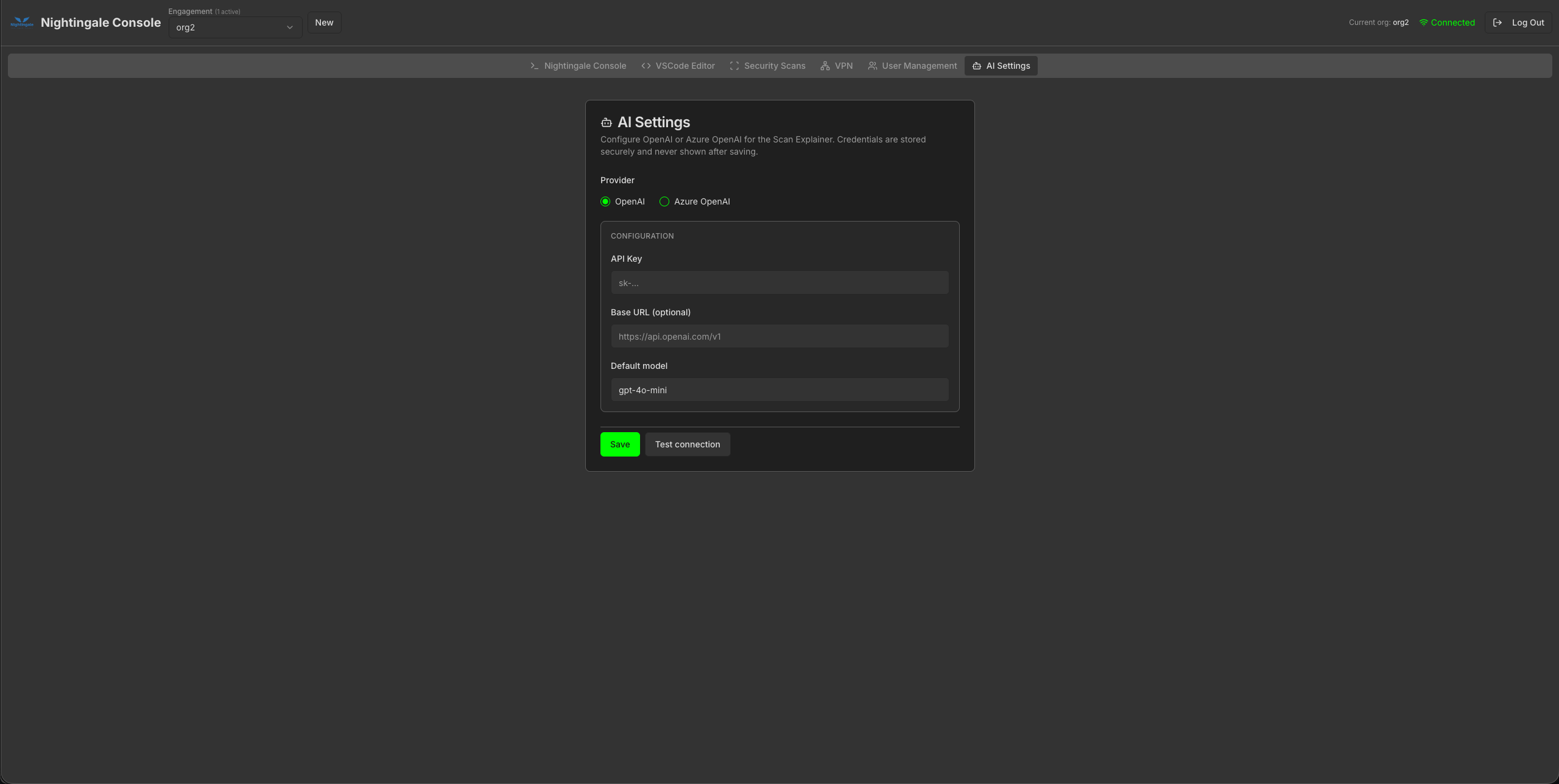
Each engagement (for example org1 vs org2) gets its own isolated home directory, scan history, VPN configs, and admin settings-the same product surface, scoped per tenant. Follow the tabs for a typical workflow: land in the console, open VS Code, run scans and automation, then handle VPN, users, and AI. Click a screenshot (or focus it and press Enter) to open a full-screen preview sized to your display; use Actual size to pan, scroll, or pinch-zoom the full-resolution image on touch devices.
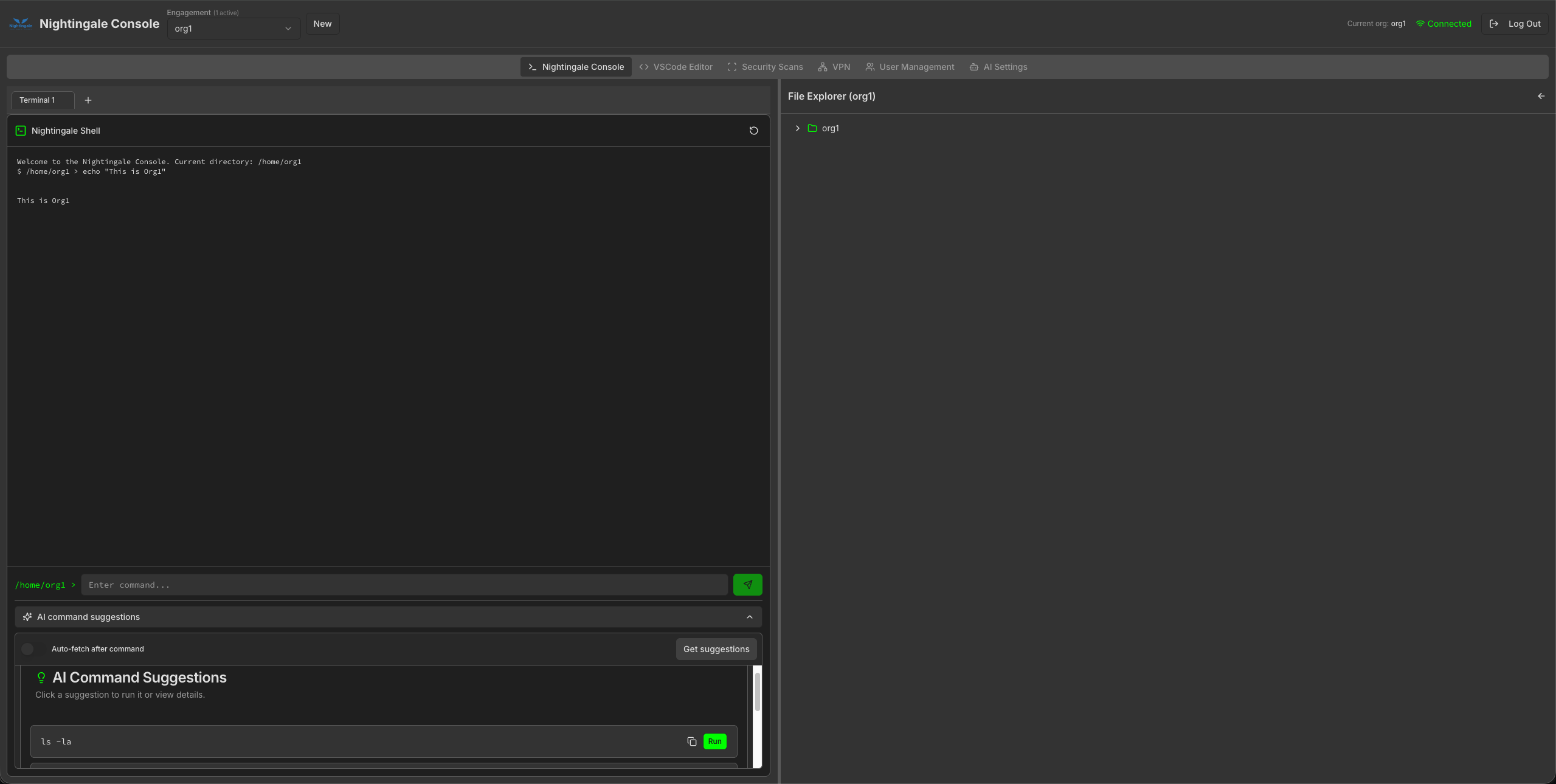
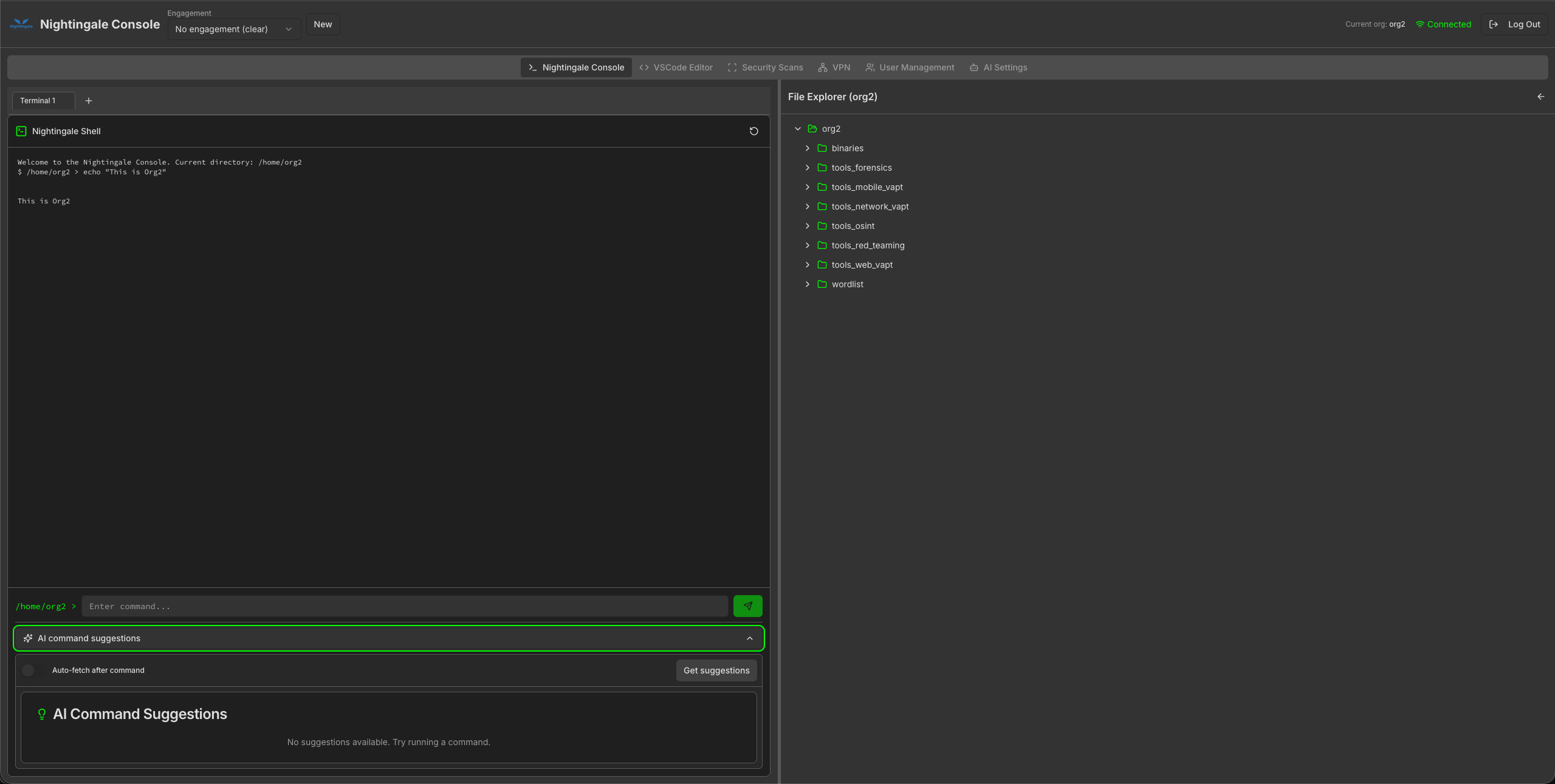
Same console layout: web shell plus per-engagement file tree (tooling paths follow the active org).
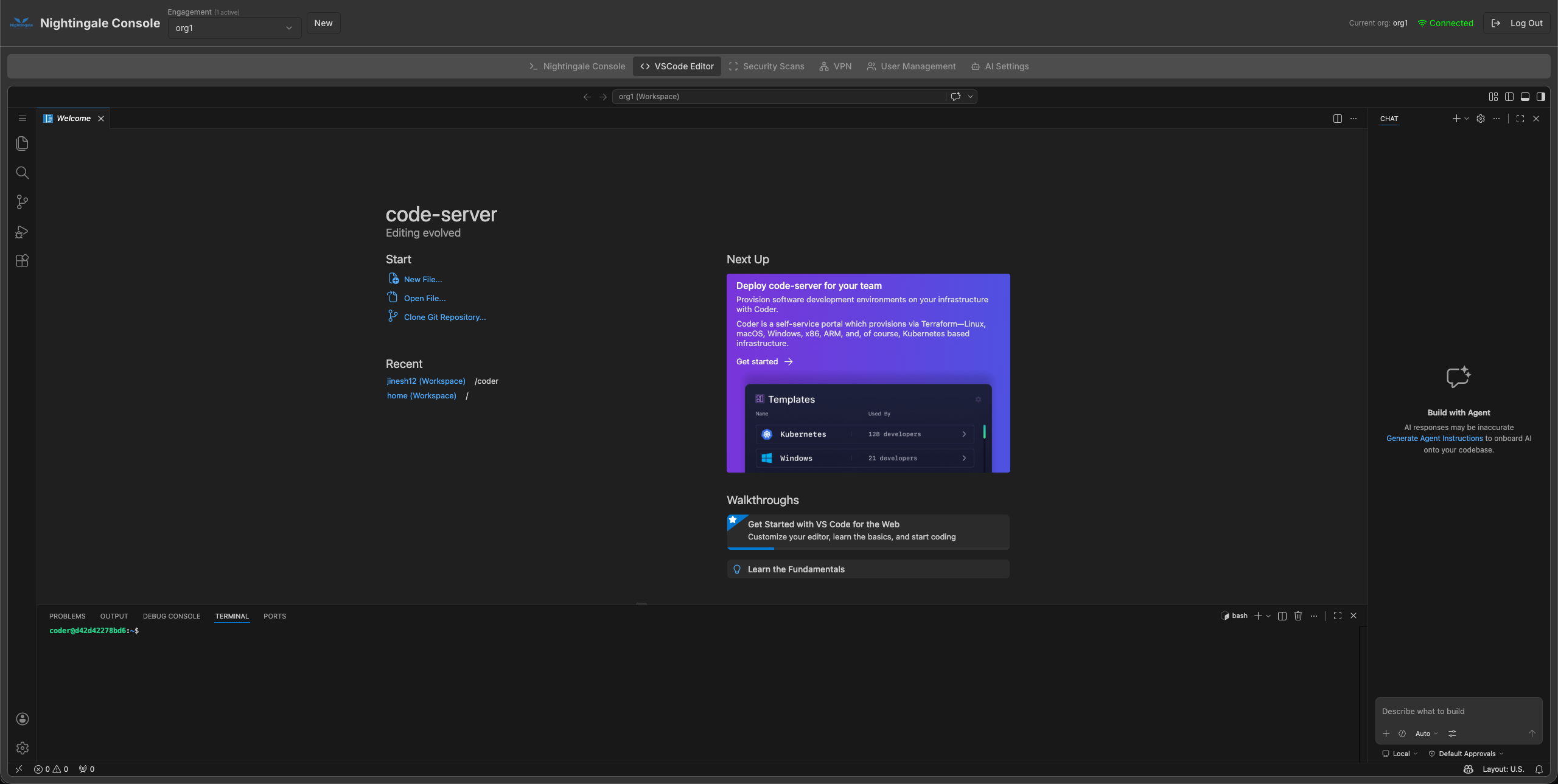
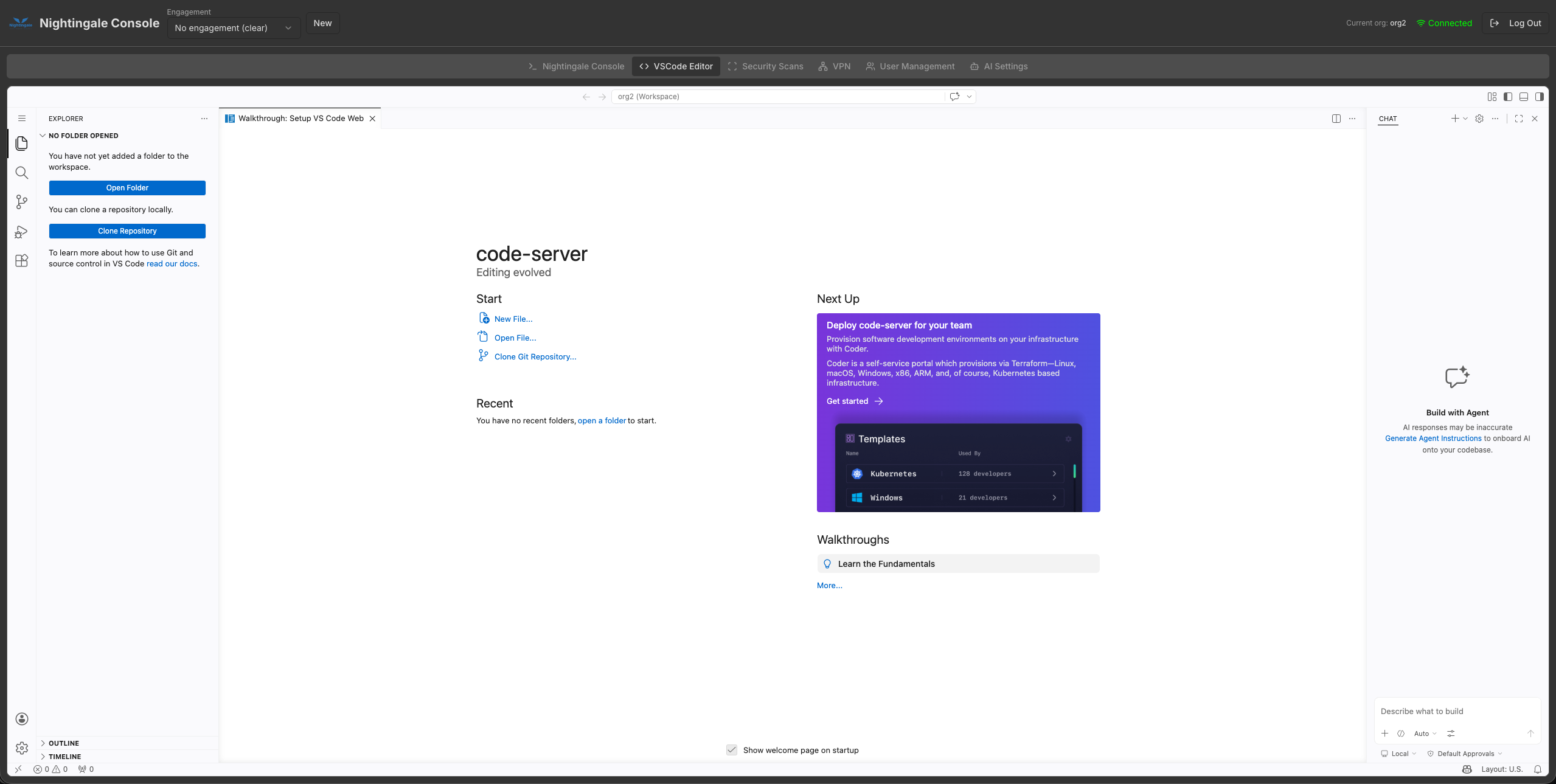
Browser-based code-server: open repos, terminals, and the agent chat without leaving the engagement.
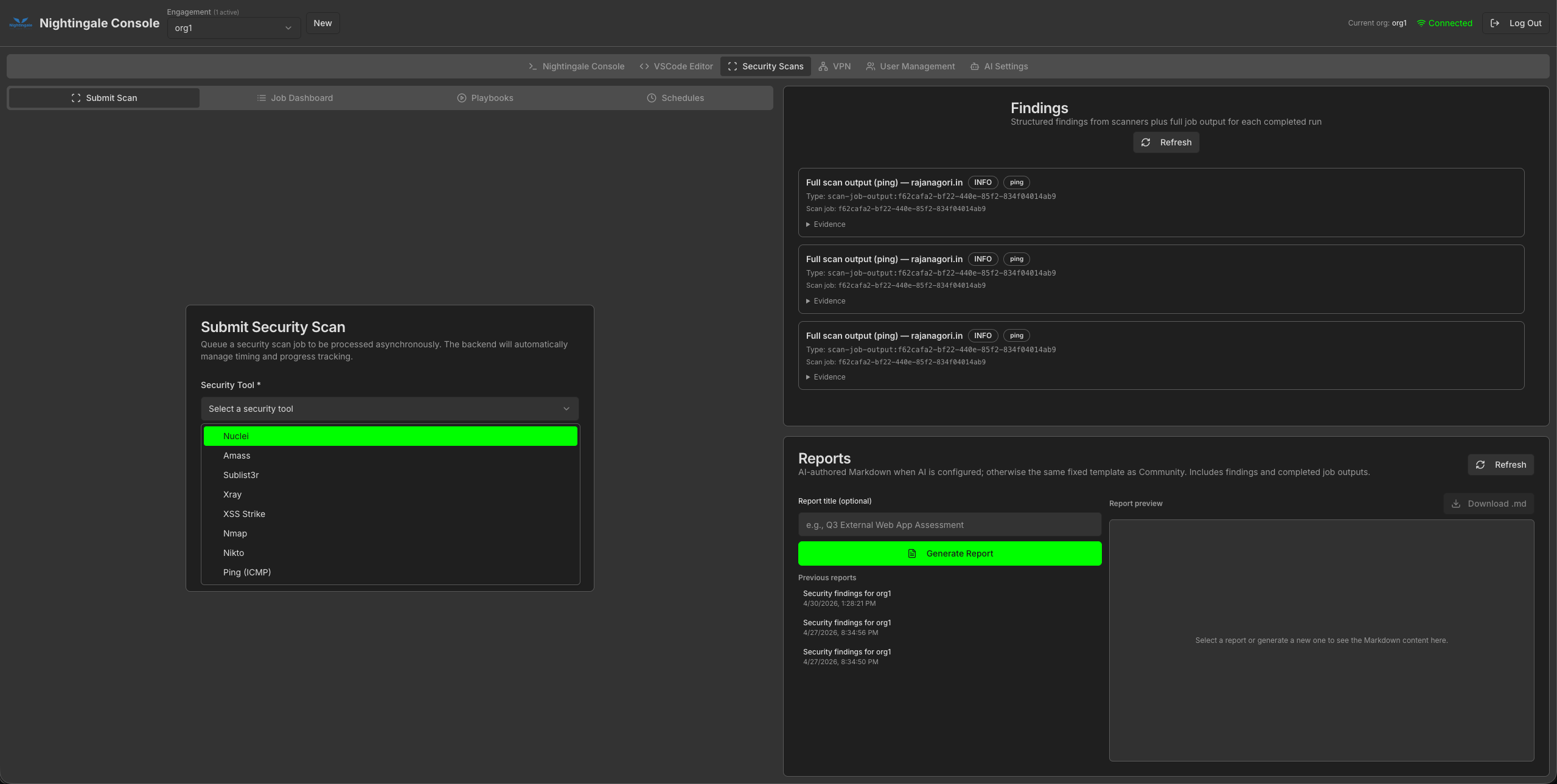
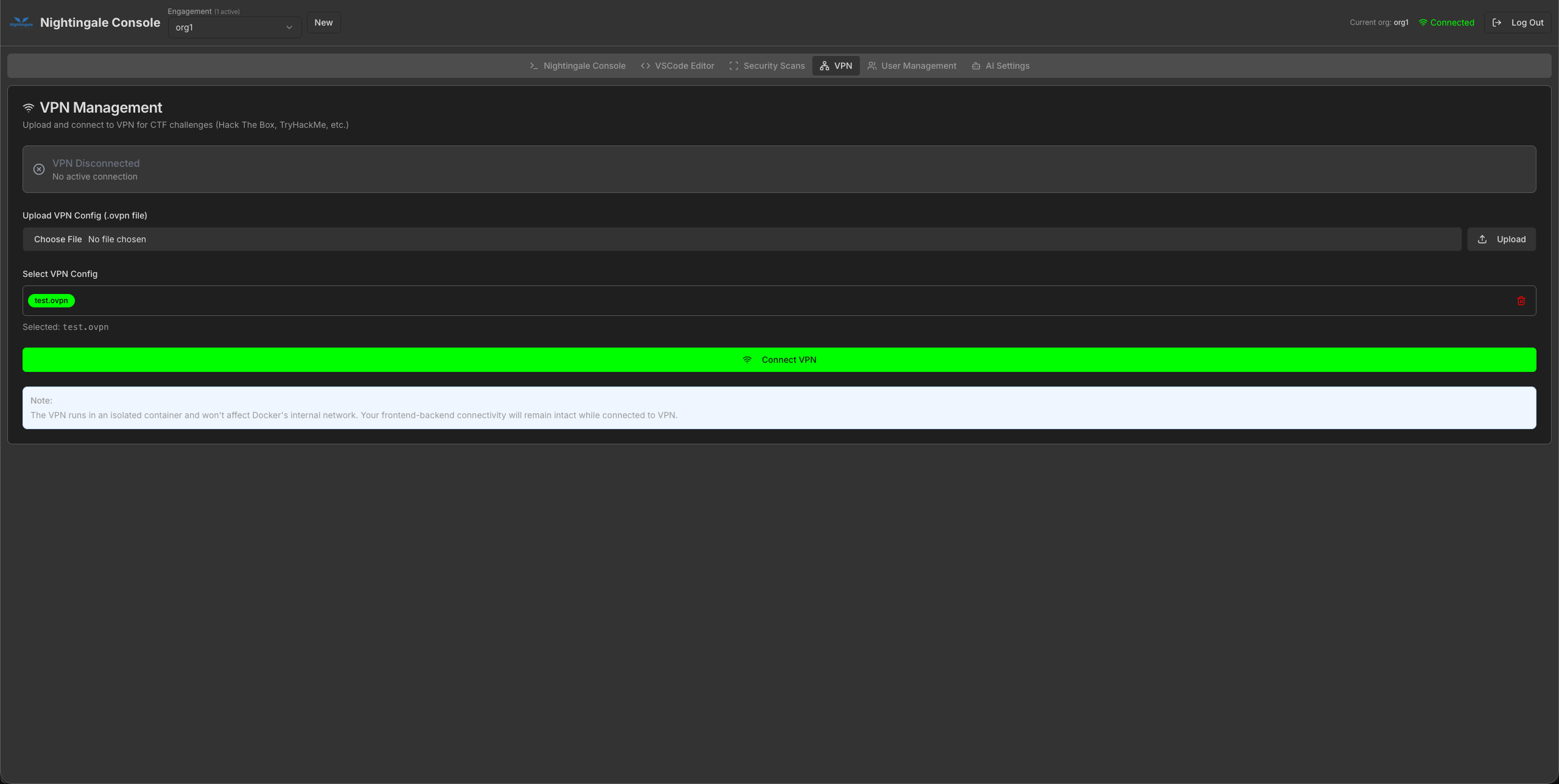
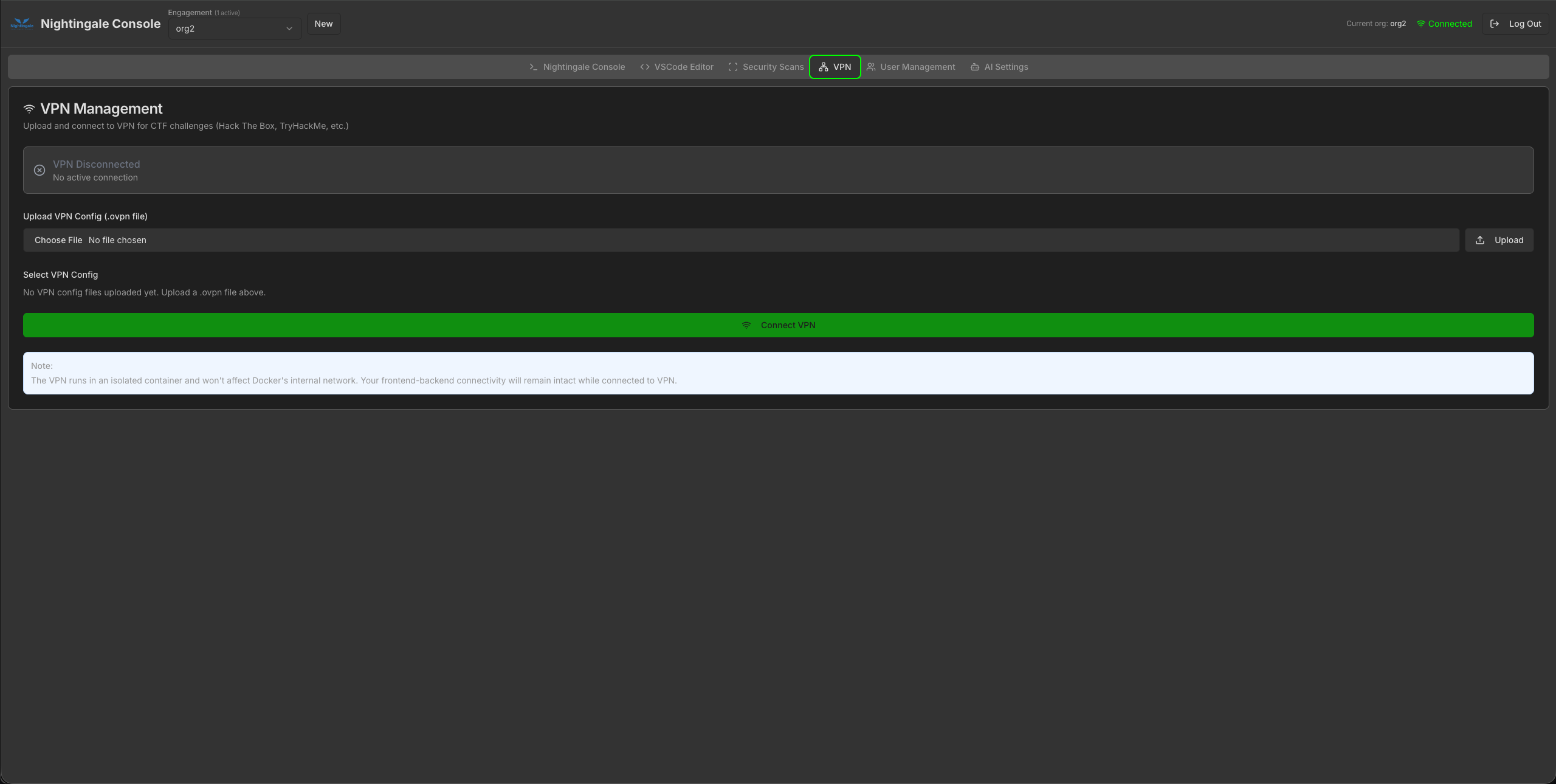
Upload .ovpn profiles per engagement; connect inside an isolated container without breaking console connectivity.
Nightingale includes specialized tools for every aspect of penetration testing, organized into focused categories for maximum efficiency.
Comprehensive web application security testing tools including XSS scanners, SQL injection tools, and API testing frameworks.
Network reconnaissance and exploitation tools for identifying vulnerabilities and testing network security.
Mobile application security testing tools for Android and iOS, including reverse engineering and dynamic analysis frameworks.
Open-source intelligence gathering tools for reconnaissance and information collection from public sources.
Digital forensics and red team tools for evidence analysis, steganography, and advanced exploitation techniques.
Comprehensive wordlist collections and fuzzing tools for password attacks, directory brute-forcing, and content discovery.
Nightingale leverages Docker's modular architecture to provide a flexible, scalable penetration testing environment.
Build custom Docker images by combining specialized tool categories with a common programming language base.
WebSocket-based communication ensures instant updates between terminal sessions and the file explorer.
Deploy on Kubernetes with Helm charts, or run locally with Docker Compose. Works everywhere Docker runs.
Each container runs in complete isolation, ensuring security and preventing conflicts with host systems.
Launch Nightingale and begin your penetration testing journey with these simple steps.
Download and install Docker Desktop for your operating system (Windows, macOS, or Linux).
Open your terminal and pull the Nightingale image from GitHub Container Registry (GHCR).
docker pull ghcr.io/rajanagori/nightingale:stable
Run the container with port mapping to access the web interface on localhost.
docker run -d -p 8080:8080 --name nightingale ghcr.io/rajanagori/nightingale:stable
Open your browser and navigate to localhost:8080 to access the Nightingale interface.
Nightingale has been featured at major security conferences and recognized by the cybersecurity community.
Asia 2022, 2023, 2024
EU London 2025
MEA 2022, 2023
(Shortlisted)
EU 2022
Hands-on Event
2023
2024
Part of the Open Web Application Security Project
Common questions about Nightingale v2.0, Docker self-hosting, and the hosted dashboard shutdown.
Nightingale v2.0 is a comprehensive penetration testing framework built on Docker that provides a modern web-based GUI with multi-terminal support and 200+ pre-installed security tools. It runs entirely in containers to ensure platform independence and eliminate installation conflicts. It combines the power of specialized security tools with an intuitive interface designed specifically for modern penetration testing workflows.
I'm shutting down dashboard.nightingale-security.com. Keeping a live hosted stack online got too expensive to carry alone. Nightingale as open source is not going away. Pull the Docker image from GitHub Container Registry, run it locally, and you still get the GUI, tools, and workflows. Details are in the note below and on GitHub.
Not at all! Nightingale is designed to be user-friendly and doesn't require Docker expertise. Simply pull the container, run it, and access the web interface through your browser. All Docker complexities are handled automatically, allowing security professionals to focus on their testing rather than container management.
Nightingale supports comprehensive penetration testing across multiple domains: web application vulnerability assessment (XSS, SQL injection, API testing), network penetration testing (port scanning, exploitation), mobile security testing (Android/iOS analysis), OSINT (reconnaissance and information gathering), digital forensics, and red team operations. With 200+ tools organized into 6 specialized categories, it covers the entire security testing lifecycle.
Yes, Nightingale is completely free and open source. As an OWASP Incubator Project, it follows open-source principles and is available on GitHub. The framework is built on Docker, making it easily accessible to security professionals worldwide without licensing costs or vendor lock-in.
Nightingale runs on any operating system that supports Docker, including Windows, macOS, and Linux. This platform independence means you can use the same tools and interface regardless of your host operating system, making it perfect for diverse environments and team collaboration.
Absolutely! Nightingale is used by security professionals worldwide for professional engagements. Its comprehensive toolset, organized workflows, and professional features like scan management and real-time file exploration make it suitable for enterprise-grade penetration testing. The framework has been featured at major security conferences including BlackHat Arsenal.
Nightingale requires only Docker to be installed on your system. Minimum requirements include: 4GB RAM, 10GB free disk space, and a modern web browser. The containerized approach ensures consistent performance across different hardware configurations and eliminates dependency conflicts.
I'm shutting down the live dashboard at dashboard.nightingale-security.com. Running that environment full-time costs more than I can keep paying out of pocket. Hard call. Necessary one.
To every friend and colleague who trusted me with this, who sat through late demos, filed bugs, tried broken builds, and still showed up the next day: thank you. You made Nightingale sharper than I could have alone. I mean that. The hours you put in weren't small, and I don't take them lightly.
The open-source project stays. Docker image, GUI, tools, docs - still on GitHub. Self-host when you need a lab. Tear it down when you don't. If Nightingale helped you on an engagement, that was the whole point.
With gratitude,
Raja Nagori
The hosted dashboard is going away. The Docker lab on GitHub is still yours to run.